Auto parts inventory software for repair shops.
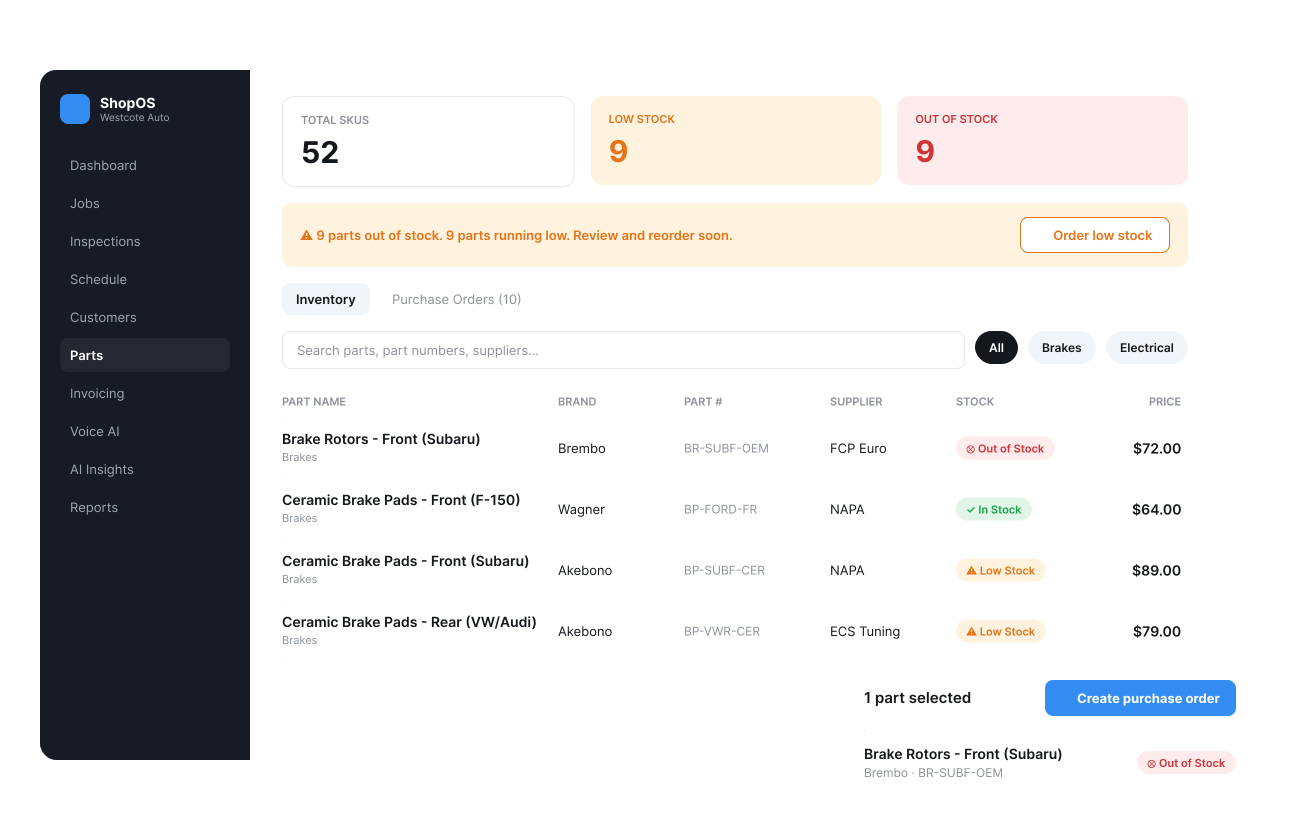
Most shops run parts inventory out of Excel or bolted onto general accounting software — and it falls apart the same way: the system says a part's in stock, the shelf says otherwise. ShopOS's auto parts inventory software tracks parts in real time, tied to the repair order they're going on, so the system matches the shelf.
Real-time stock, not a spreadsheet someone forgot to update.
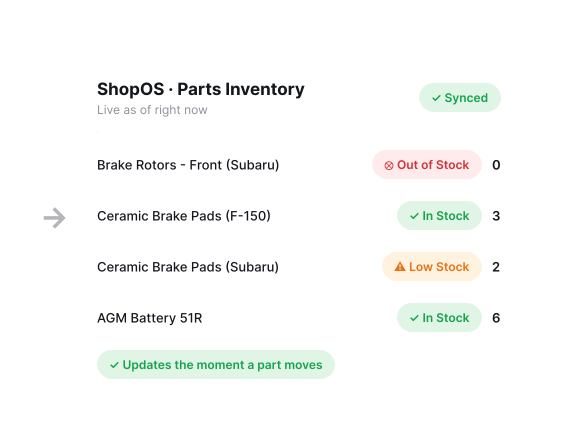
A spreadsheet is accurate the moment someone updates it — and wrong every moment after. Parts in ShopOS update the moment they're received, used, or ordered, so the count on screen matches the shelf.
- Built for repair shops, not parts resellers — the same system as your repair orders, not a bolted-on retail tool
- Your existing parts catalog comes across during onboarding, not typed in from scratch
Low-stock alerts before a job stalls waiting on a part.
Nothing stalls a repair order like discovering mid-job that a part everyone assumed was in stock isn't. Low-stock alerts catch that before the tech is standing at an open hood waiting on you.
Alerts before a commonly-used part actually runs out, not after
Flags slow-moving stock tying up cash on the shelf
Visibility into what to reorder before it becomes a same-day emergency
Purchase orders tied straight back to the part you needed.
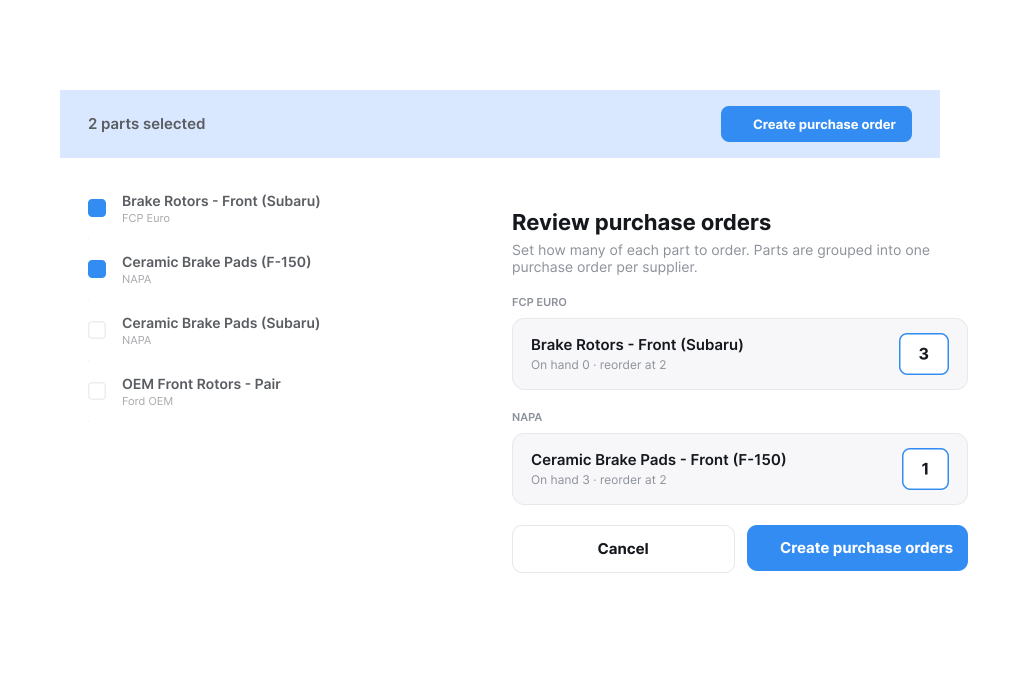
Create a purchase order from a low-stock alert, and when the part arrives, receiving it against that PO updates your stock automatically — no separate step to reconcile what showed up against what was ordered.
- Track PO status — what's ordered, what's still outstanding
- Full order history tied to the part — what was ordered, when, and at what cost
Know your cost and margin on every part.
Inventory isn't just a stock count — every part carries its real cost and markup, not just a sell price. That's what drives the pricing on estimates and invoices: the real margin on that part, not a number typed in on the fly.
- Margin visible per part, not just guessed at across the whole shop
- Update a part's cost once, and every future estimate reflects it — no stale pricing
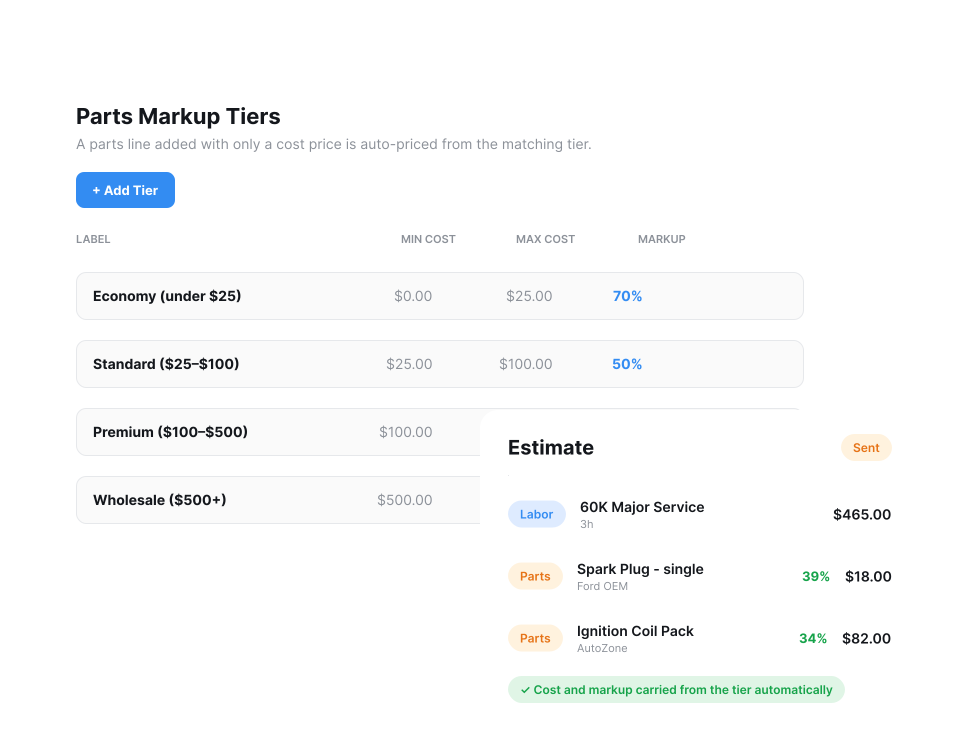
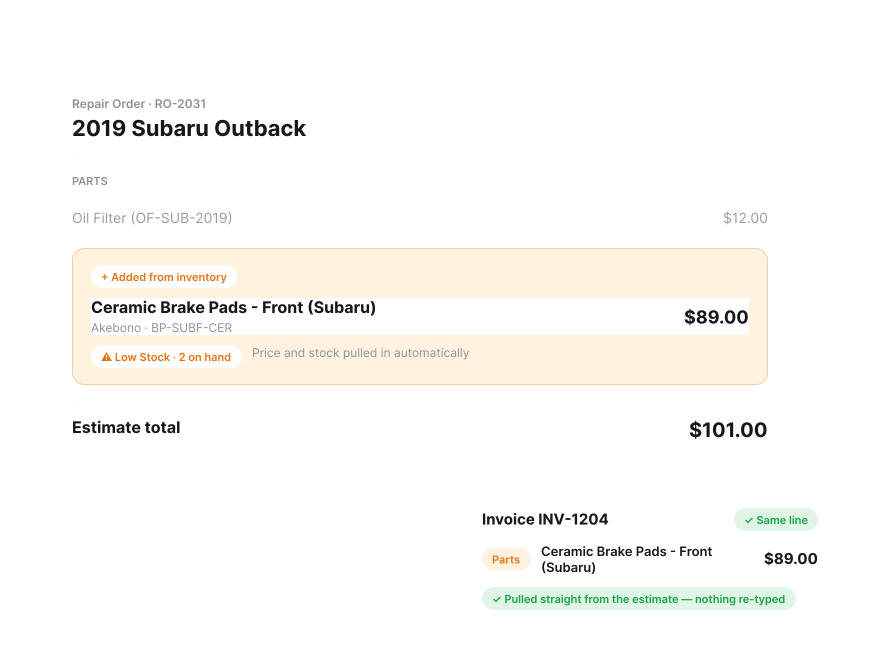
Parts go straight onto the estimate or invoice — no re-typing.
Adding a part to a job shouldn't mean looking it up twice — once in inventory, once on the estimate. In ShopOS, a part added to a repair order pulls its price and availability straight from inventory and carries onto the invoice the same way.
- Add parts directly from the repair order screen — no separate inventory lookup
- Price and stock status pulled in automatically, not re-typed
- Same part record carries from estimate through to the final invoice