Auto repair software migration without the headache.
Switching shop management software shouldn't mean starting over. ShopOS handles the setup and migration for you, including moving your customer, vehicle, service history and inventory data from your existing system. We set up your shop, get your information into ShopOS, and help your team get ready to go live.
What ShopOS can import for you
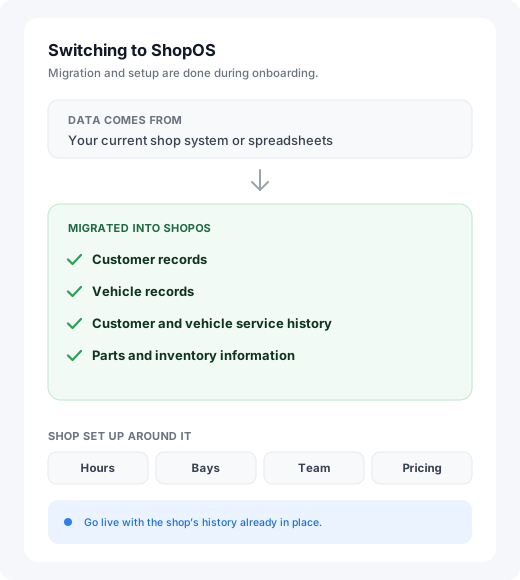
The biggest barrier to changing shop software isn't learning a new system. It's the thought of rebuilding everything you've spent years putting into the old one. ShopOS migrates your existing information during onboarding, so nobody re-enters years of records by hand. Depending on your existing system and your data, migration can include:
- Customer records
- Vehicle records
- Customer and vehicle service history
- Job history
- Parts and product information
- Inventory information
Data can come from your existing shop management system or from spreadsheets.
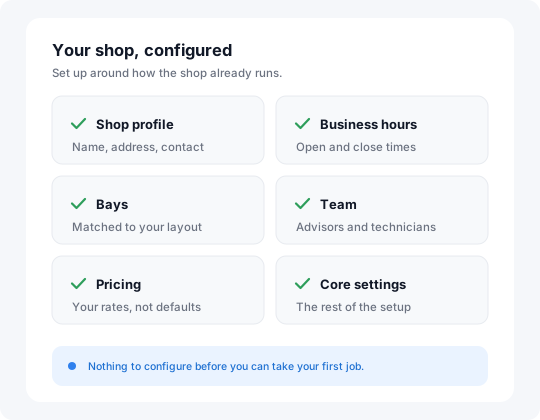
We set up ShopOS for your shop.
Migration is only part of switching software. Your new system also needs to be configured around how your shop actually operates. During onboarding we set up your shop profile, business hours, bays, team, pricing and the other core settings that make the system yours.
- Configured around how your shop already runs, not left on a default template
- Your shop is configured before you take your first job through the system.
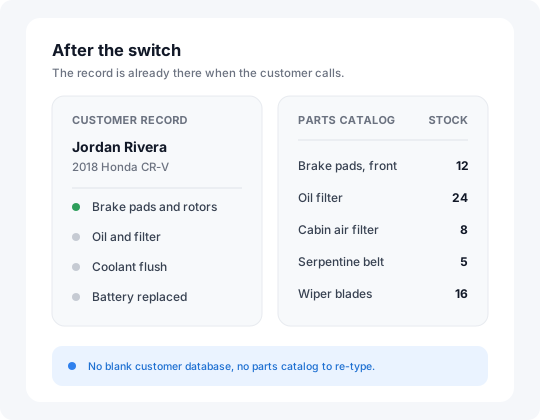
Your history and your parts catalog both come across.
Your customer history is some of the most valuable data in your shop, and your parts catalog is something nobody wants to rebuild by hand. Both come across during onboarding.
- Customer and vehicle history arrives connected to the customer and the vehicle, so your team has it when they call or come back for another repair
- Parts inventory arrives connected to the repair workflow, including stock, costs, purchase orders and repair orders
How does ShopOS migration work?
Your data is migrated during onboarding, your shop is configured before you start, and your team learns the system as it goes. The exact process depends on where your data comes from and what needs to be transferred.
- 1
We import your data
We take your existing customer, vehicle, service history and inventory information and migrate it into ShopOS. It can come from your current shop management system or from spreadsheets.
- 2
We set up your shop
We configure your ShopOS account around your shop's hours, bays, team, pricing and other core settings.
- 3
Your team learns ShopOS
ShopOS is designed to be straightforward to learn, so your team can start using it without a long implementation project.
- 4
You go live with support
Your first real jobs run through ShopOS with our team close by, so you aren't left to work it out on your own.
Migration and onboarding are free. Both are part of getting your shop onto ShopOS.
Why switch to ShopOS?
Switching shop management software should make your shop easier to run, not force your team to manage information in another disconnected system. ShopOS keeps the job connected the whole way:
Your customer and vehicle history stays in one place, your parts are connected to the work, and your team works from the same system. And you don't have to handle the migration yourself.
Frequently asked questions
Does ShopOS migrate my existing customer data?
Can ShopOS migrate my service history?
Can you migrate my parts catalog?
Can you migrate data from spreadsheets?
Do I have to set up ShopOS myself?
How much does ShopOS charge for migration?
Switch to ShopOS without starting over.
ShopOS moves your data, sets up your shop, and helps your team get ready to go live.