Auto shop scheduling software.
ShopOS's auto shop scheduling software runs on a booking link: a customer picks the service they need and a time that's actually open, and it's on your calendar — no call, no email, no waiting on a callback.
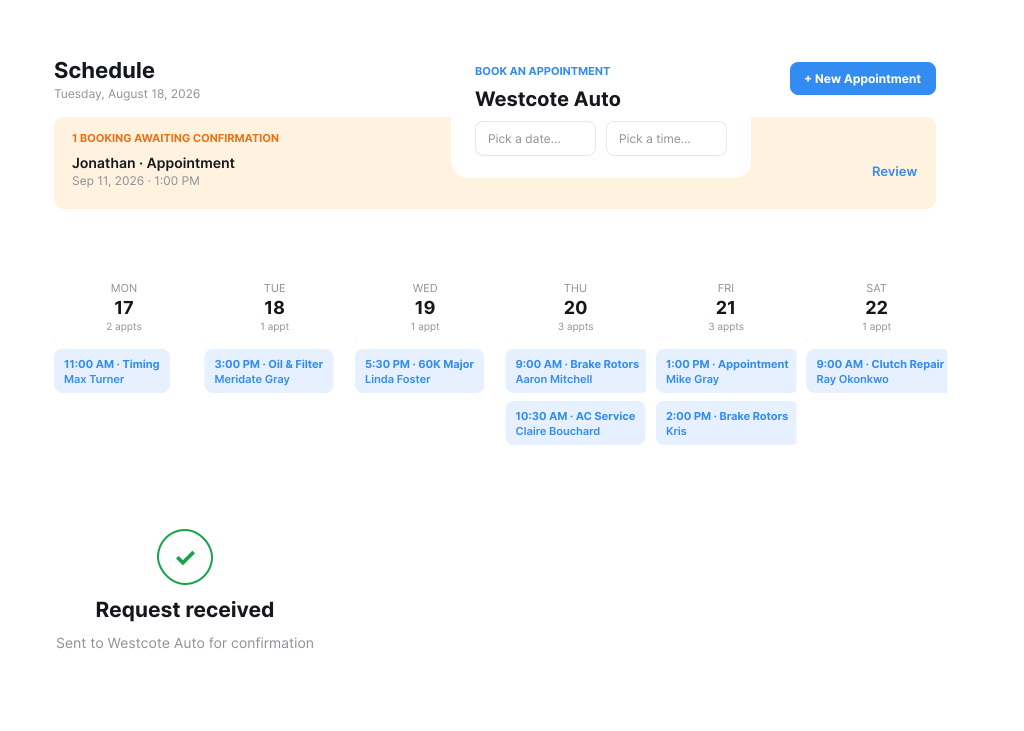
A booking link customers can use anytime.
Customers don't need to catch you during business hours. They open the link, pick the service they need, and choose from real, live availability.
- Book from a link any time of day — no call, no email back-and-forth
- Real, live availability, not a calendar someone forgot to update
- Customers get a confirmation once the booking's set
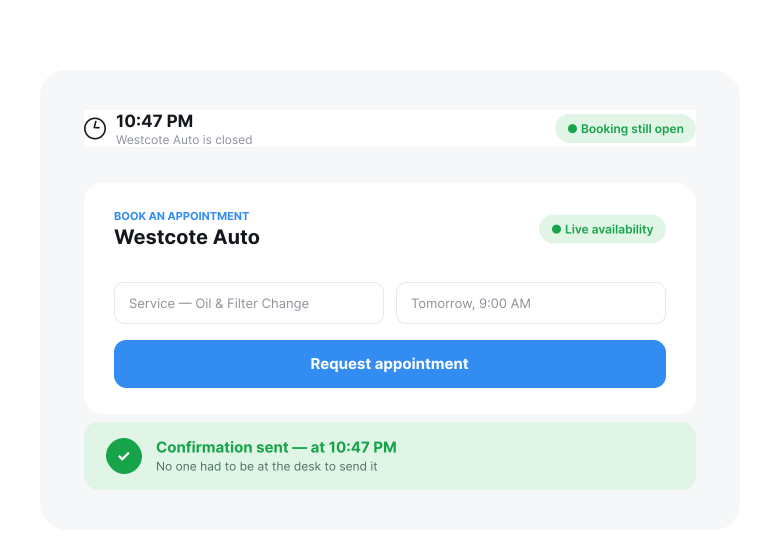
One shared calendar, not five people's Google Calendars.
Instead of every advisor keeping their own Google Calendar and someone cross-checking them all to find a slot, the whole shop works off one shared schedule. The owner and each advisor see their own appointments, plus full visibility into what's booked and what's open across the shop.
- Replaces juggling separate Google Calendars per advisor or owner
- Everyone sees their own appointments, plus full shop-wide visibility into what's booked and open
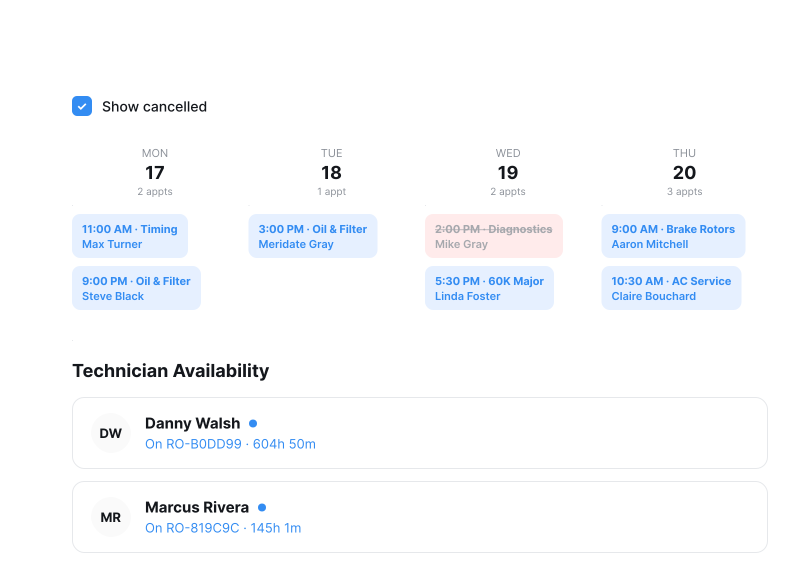
More than one way to get on the calendar.
The booking link isn't the only way in. A customer can book themselves from the link, or call and get picked up by the AI receptionist, which books straight onto the same calendar. However it comes in, it's the same shared schedule — nothing to reconcile between three different systems.
Customers book themselves from the link, anytime
Or call in — the AI receptionist books the appointment straight onto the same calendar
Staff can always book a job manually, no matter how it came in
One calendar regardless of channel — nothing to cross-check or reconcile.
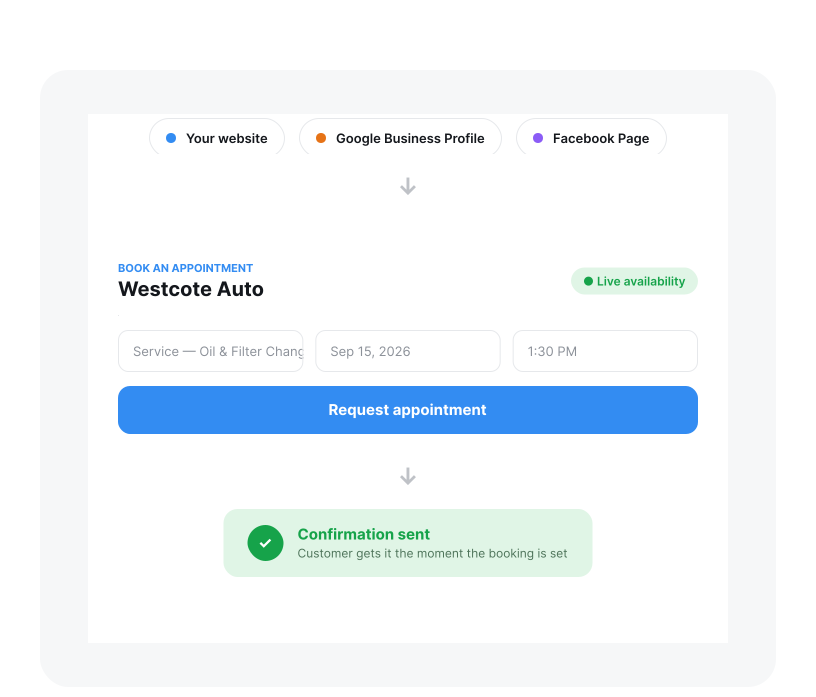
One link, everywhere customers already look for you.
The same booking link works on your website, your Google Business Profile, your Facebook page — anywhere a customer might already be looking for you, instead of an email they have to track down.
- Customers book from wherever they found you, not a separate contact form or email
- One link to manage, not a different process for every channel
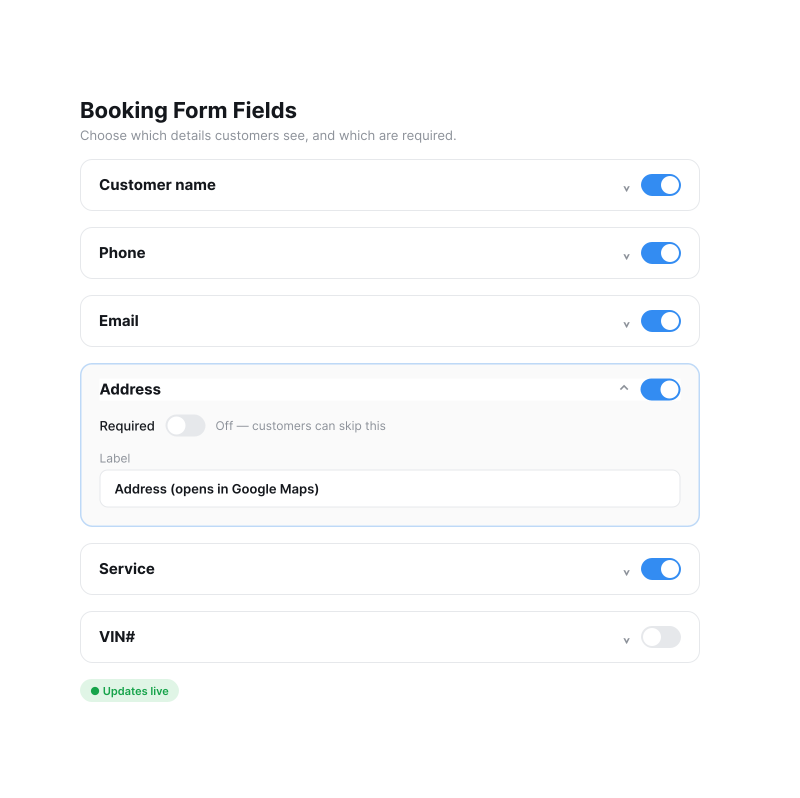
Customize the booking form for how your business actually works.
Not every shop needs the same booking form. A mobile mechanic can add an address field that opens in Google Maps; a shop handling RVs, trucks, or detailing can ask for exactly the details that job needs.
- Add custom fields — vehicle type, address, whatever the job needs
- Collect what the job needs up front, instead of chasing missing details later
A scheduled service is already most of the way to an estimate.
Once an appointment is on the calendar, the customer and vehicle details are already saved with it — nothing to re-enter when it's time to build the estimate. Once that's approved and the work is done, that same record becomes the invoice too.
Customer and vehicle details carry over from the confirmed appointment — not re-entered when building the estimate
One record follows the job from booking through the estimate to the final invoice
Nothing gets retyped at any step along the way
How does shop management software go beyond simple scheduling?
Scheduling software stops at the appointment. Shop management software keeps going: the booking saves the customer and vehicle details, those carry into the estimate, the approved estimate becomes the work, and the finished work becomes the invoice. Nobody types the same customer in twice.
It also puts every way a job arrives on one calendar. A customer books from the link, a caller is booked by the AI receptionist, or the counter books by hand, and all three land on the same shared schedule the whole shop works from.
See both ways a job gets booked.
A quick walkthrough of how a shop books more jobs with ShopOS: a public booking link customers can use from your website, Google Business Profile, and Facebook, plus an AI receptionist that answers the calls you'd otherwise miss. Every request lands straight on your schedule — no separate inbox, no missed revenue.
Chapters
- 0:00Where shops quietly lose jobs
- 0:34Set up your booking link in ShopOS
- 0:50Add it to your website, Google Business Profile, and Facebook
- 1:17Every booking request lands straight on your schedule
- 1:38Mobile repair: tap an address to navigate
- 1:57The missed-call problem
- 2:18How the AI receptionist answers (unavailable, after-hours, voicemail)
- 2:40A real AI call: books the job, or takes a detailed message
- 3:06Recap + book a demo
Full transcript: How to Book More Jobs at Your Auto Repair Shop (Without Hiring Anyone)
How auto repair shops lose jobs before the work starts
A customer tries to reach a repair shop that is closed or busy. They search Google and find no booking link. They find the shop's website and can't book there either. Those jobs go to a competitor, and the shop never learns they existed.
ShopOS closes both gaps: a public booking link customers can use at any hour, and an AI receptionist that answers calls the shop can't.
Setting up the booking link
In ShopOS, the booking page is configured under Settings → Booking. Every shop gets one link to its own public booking page.
The page is customizable. A shop chooses which fields appear, which services it offers, and what information a customer has to provide before requesting an appointment.
Where to put the booking link
The same link works everywhere a customer might look for the shop:
- The shop's website, as a “Book now” button in the navigation bar or wherever customers land first.
- The shop's Google Business listing. When someone searches “auto repair shop near me” or “brake repair,” the listing shows a Book Online button directly in the map results — before the customer clicks through to the website at all.
- Facebook, using the same link again.
Where booking requests go
Booking requests do not land in a separate inbox that someone has to remember to check. Every request made through the link appears in the shop's open appointments in ShopOS. The shop reviews the request, confirms a time, and the customer is notified automatically.
Mobile repair: the address field
A mobile repair business can turn on the address field on its ShopOS booking page, so customers enter the location where the work is needed. Opening that appointment on a phone and tapping the address opens it directly in Maps — no copying addresses between apps, and no guessing at the destination.
The AI receptionist on the phone
Missed calls are the larger of the two gaps, and the size of the problem is specific to each shop: it depends on call volume, how many of those calls close, and the average repair order. A shop can work out its own number rather than take an industry average.
The shop keeps its existing phone number. Nothing changes for the customer dialing in.
The ShopOS AI receptionist answers in three situations: when the shop is unavailable, when the call comes in after hours, and when a call would otherwise go to voicemail.
Instead of asking the caller to leave a message, the receptionist has an actual conversation. It asks what the customer needs and books the appointment. If the call needs a human, it takes a detailed message so the shop isn't calling back blind.
Like the booking link, this creates no second system to check. The call is transcribed, and the appointment request lands on the same ShopOS schedule as everything else.
ShopOS is built by Autograff. Visit autograff.ai to book a demo.